Topicary vs Document360
Document360 is a knowledge base platform for support teams and customer-facing documentation. Topicary is a CCMS for structured authoring: content reuse with tracking, publish-time conditional content, variable sets, and multi-channel output.
Document360 scores 4.7/5 on both G2 (509 reviews) and Capterra (290 reviews, checked May 2026). It excels at polished knowledge bases with AI search, ticket deflection, and editorial workflows. The gap opens somewhere else. Reuse across outputs, publish-time audience filtering, PDF alongside web from a single source: a knowledge base was never built for that.
At a glance
Category
Topicary
Component CCMSDocument360
Knowledge base platformContent model
Topicary
Topics in maps (component-based)Document360
Articles in categories (page-based)Best for
Topicary
Multi-audience, multi-format documentationDocument360
Support KB with ticket deflectionReuse
Topicary
Components (no limit) with where-used tracking + orphan detectionDocument360
Snippets (200 limit per project) + variables (300 chars)Conditions
Topicary
Publish-time (author-side, separate deliverables)Document360
Reader-side (country, device, IP, reader group)Multi-output
Topicary
Web + PDF + Markdown from same sourceDocument360
One KB site per projectAI
Topicary
AI assistant + AI search on published sitesDocument360
Eddy AI with ticket deflection analyticsPricing
Topicary
Published: $79/mo (Pro) / $149/mo (Team)Document360
All tiers quote-based (no published prices)Filled marker = leads this capability. Even rows are unmarked.
Knowledge base vs component content management
Document360 treats content as articles: standalone pages organized into categories. You can link between articles, embed snippets, and insert variables. The fundamental unit is still the page.
Topicary treats content as components: reusable building blocks assembled into maps that produce multiple outputs. The fundamental unit is the component, not the page. This is the CCMS model:
- A warning block written once appears in every topic that needs it.
- A setup procedure shared across 3 guides updates everywhere when the source changes.
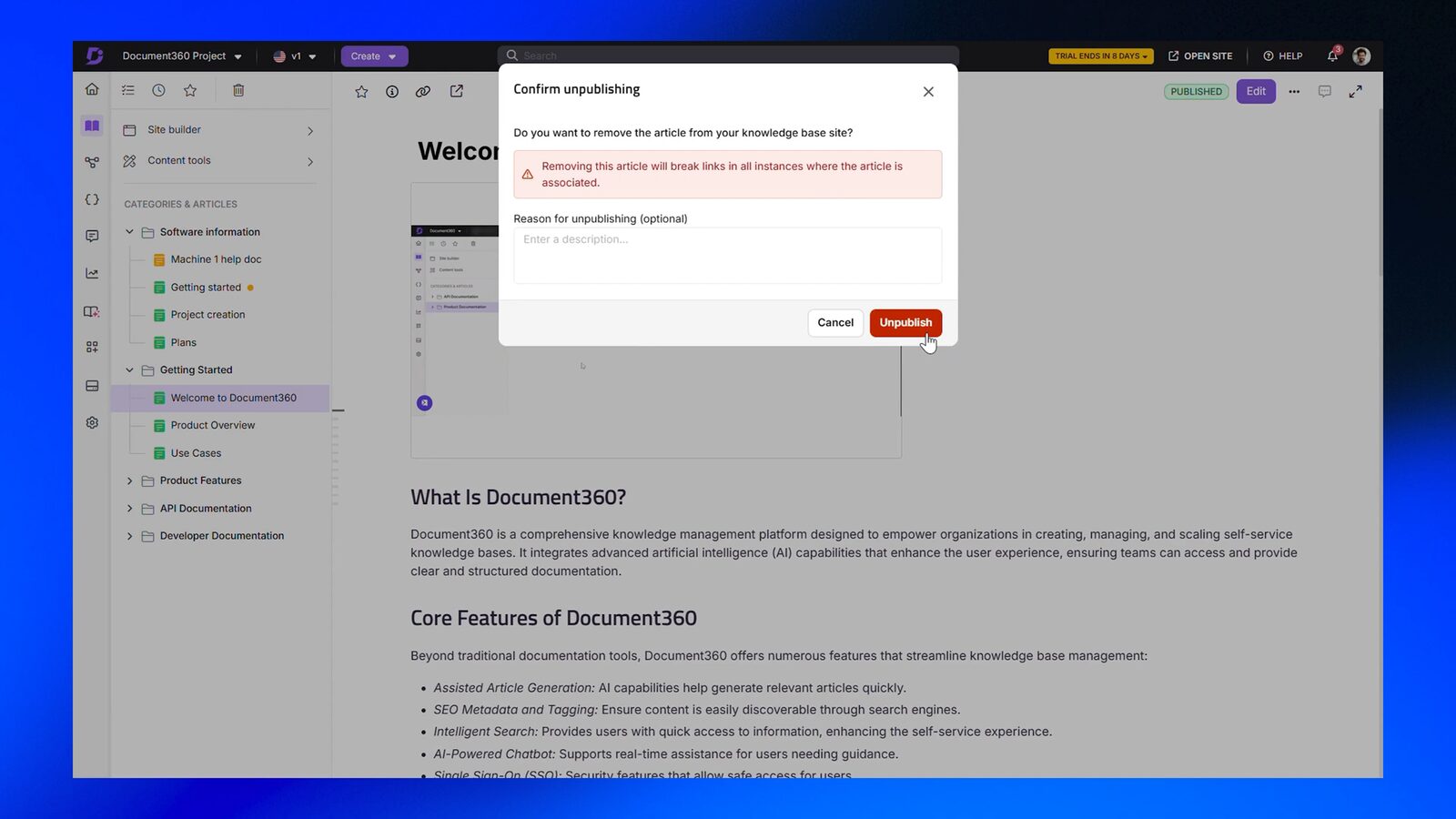
Tom Johnson (idratherbewriting.com) described Document360 as a tool that bridges "support teams creating KB content and technical writers creating documentation" (idratherbewriting.com). It is strong at the intersection of support and documentation. Multi-output structured authoring is a different job.
Feature comparison
Content model
Topicary
Topics in maps. Component-based. Reusable across maps.Document360
Articles in categories. Page-based. Each article standalone.Editor
Topicary
Block editor: slash commands, bubble toolbar, single editor for all projectsDocument360
Markdown or Advanced WYSIWYG with slash commands; choice per-project, irreversibleContent reuse
Topicary
Components with where-used tracking, orphan detection. No limits.Document360
Snippets (200 per project, add-on for more). Local copies disconnect. Names immutable.Conditional content
Topicary
Author-side: dimensions, block-level include/exclude, publish-time filteringDocument360
Reader-side by country, device, group, IP. Up to 25 per article. Not search-indexed.Variables
Topicary
Key-value pairs in named sets, publish-time switching, no char limitDocument360
Text substitution (300-char limit). No named sets. No publish-time switching.Publishing
Topicary
Hosted sites: dark mode, AI search, reader feedback, PDF, Markdown exportDocument360
KB site with custom domain, search, AI chatbot, PDF export. No Markdown export.Multi-output
Topicary
Multiple publication targets from one source: web, PDF, MarkdownDocument360
One KB site per project. Workspaces are separate hubs.AI
Topicary
AI assistant, search, chat widget, duplicate detection. No ticket deflection.Document360
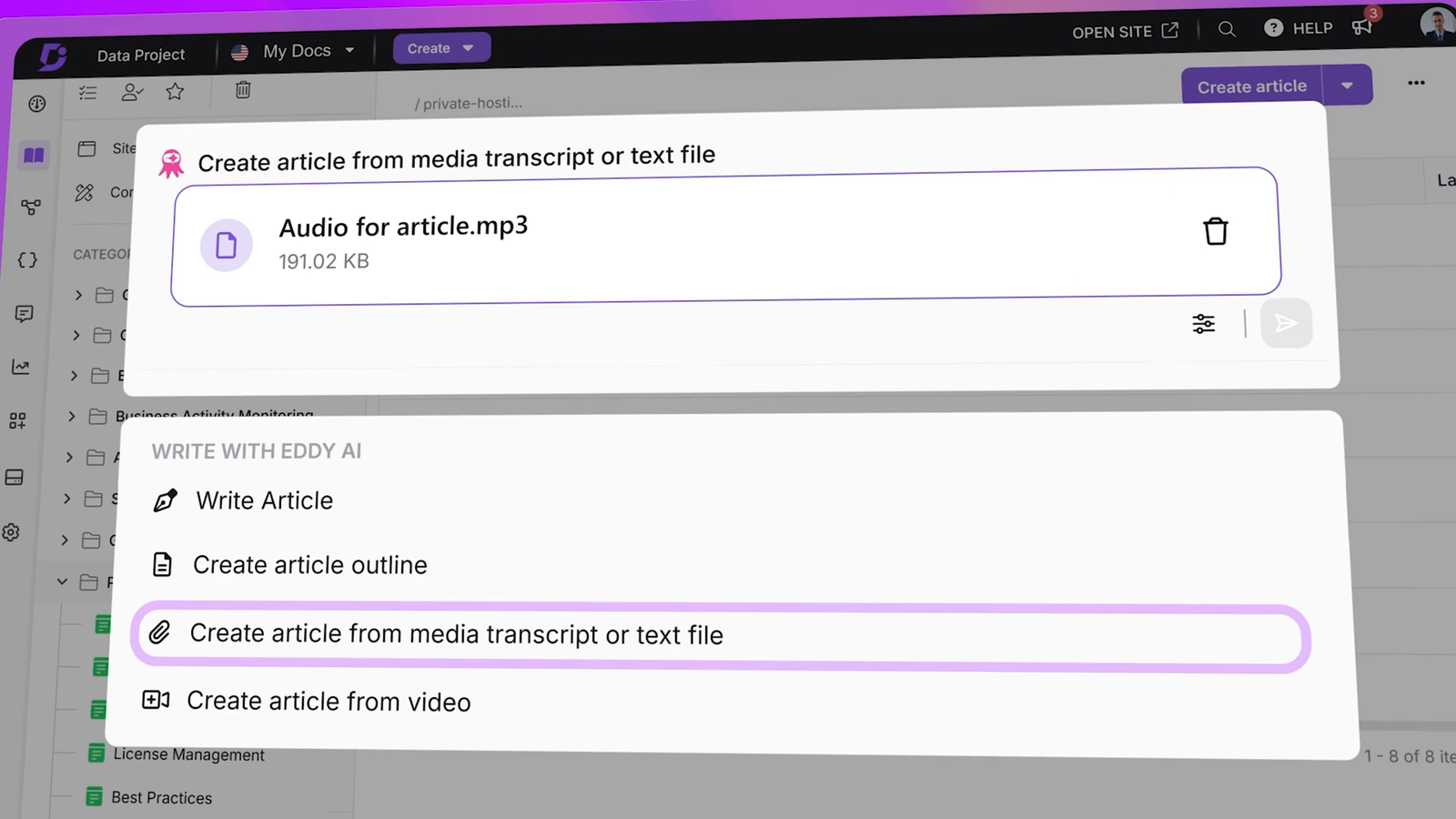
Eddy AI: chatbot with ticket deflection, duplicate detection, glossary, transcriptionReview
Topicary
Token-based SME review (no login), track changes, configurable approval workflowsDocument360
Custom workflow builder: multi-stage approval, @mentions, due dates, role assignmentsImport
Topicary
7 self-service formats: Markdown, HTML, DITA, Confluence, Flare, Word, OpenAPIDocument360
PDF and Word self-service. Migration service (paid add-on) for others.Translation
Topicary
XLIFF 2.0 round-trip, Phrase TMS, multi-locale publishing per targetDocument360
AI translation (Azure), Crowdin + Phrase (add-on), side-by-side editingAnalytics
Topicary
Search queries, zero-result gaps, reader feedback, staleness, orphan detectionDocument360
Article views, reader behavior, ticket deflector metrics, broken linksLLM-ready
Topicary
llms.txt, llms-full.txt, .md URLs, sitemap.md, ?ask= endpoint, MCP server, automaticDocument360
MCP server (Business/Enterprise). HTML only otherwise.Custom domain
Topicary
Team planDocument360
All plansSSO
Topicary
SAML 2.0 (Team)Document360
SAML + OIDC with SCIM provisioning (Enterprise)Filled marker = leads this capability. Even rows are unmarked.
The deep dives below cover where each tool leads, and the trade-offs behind every marker above.
What Document360 does better
4 areas where Document360 has genuine advantages.
AI-powered ticket deflection
Document360's Eddy AI and built-in deflection analytics are purpose-built to cut support volume with measurable rates. Topicary has no deflection tracking.
| Document360 | Topicary | |
|---|---|---|
| AI chatbot | Eddy AI: answers questions, hands off to support ticket with pre-filled context | AI chat widget grounded in your content |
| Ticket deflection | Built-in: measures how many support requests docs prevented | Not available |
| Deflection analytics | Dashboard with deflection rates and trends | Not available |
| AI writing | Generate articles from prompts, transcribe videos, detect duplicates, glossary | Draft, rewrite, expand, summarize, improve, duplicate detection |
Say your documentation's primary job is reducing support volume with measurable deflection rates. Document360's AI stack is built for that outcome.
Custom workflow builder flexibility
Document360 allows arbitrary custom approval stages and notifications, going deeper than Topicary's fixed role-based workflow for large formal teams.
Both tools have approval workflows. The difference is customization depth:
- Document360: Arbitrary custom stages, @mention notifications, due date tracking, role assignments beyond fixed hierarchy. Suited for 10+ person teams: editors, illustrators, and SMEs on formal approval chains.
- Topicary: Configurable multi-stage workflows with role-based transitions (admin, author, reviewer). Token-based SME review adds track changes. Covers the standard draft-review-approve-publish pipeline.
Branding depth
Document360 allows custom HTML, CSS, and JavaScript injection plus smart bars, branding flexibility Topicary's custom-CSS theming doesn't match.
Both support custom domains: Document360 on all plans, Topicary on Team. The remaining gap:
- Document360: Custom HTML, CSS, and JavaScript injection. Smart bars with location and language targeting. Configurable themes. Capterra reviewers (4.7/5, 290 reviews) frequently praise branding flexibility.
- Topicary: Custom branding (colors, fonts, logo, favicon, custom CSS). No arbitrary HTML/JS injection or smart bars.
Translation breadth
Document360 adds Azure AI machine translation and two TMS integrations, where Topicary offers a single Phrase connection and XLIFF round-trip.
| Document360 | Topicary | |
|---|---|---|
| AI translation | Azure Translator for instant machine translation | Not included |
| TMS integrations | Crowdin + Phrase (add-on, Business/Enterprise) | Phrase |
| Manual workflows | Side-by-side editing, RTL support | XLIFF 2.0 round-trip, multi-locale publishing |
Where Topicary fits better
Component reuse with tracking
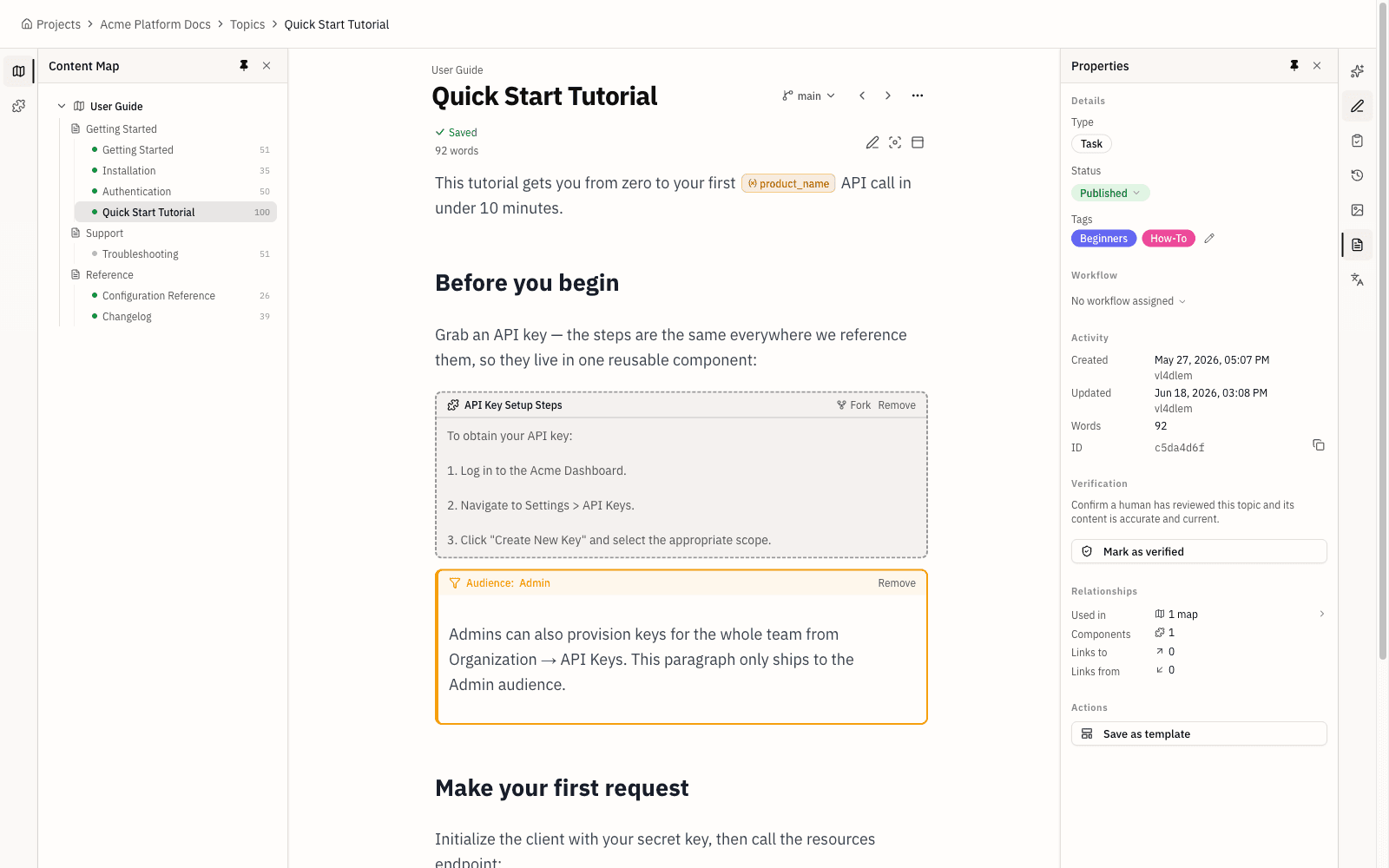
Topicary reuses with no snippet limit, editable names, where-used and orphan tracking. As of mid-2026, Document360 caps snippets at 200 with no orphan detection.
| Document360 | Topicary | |
|---|---|---|
| Limit | 200 snippets per project (paid add-on for more) | No limit |
| Naming | Immutable after creation | Editable anytime |
| Local copies | "Insert as local copy" disconnects from source | Not applicable: all references stay linked |
| Where-used | "Used in" column per snippet | Full panel showing every topic and map |
| Orphan detection | Not available | Flags unused components |
| Variable depth | Text substitution, 300-char limit | Named sets, no char limit, publish-time switching |
| Conditional integration | Not available | Components work with publish-time conditions |
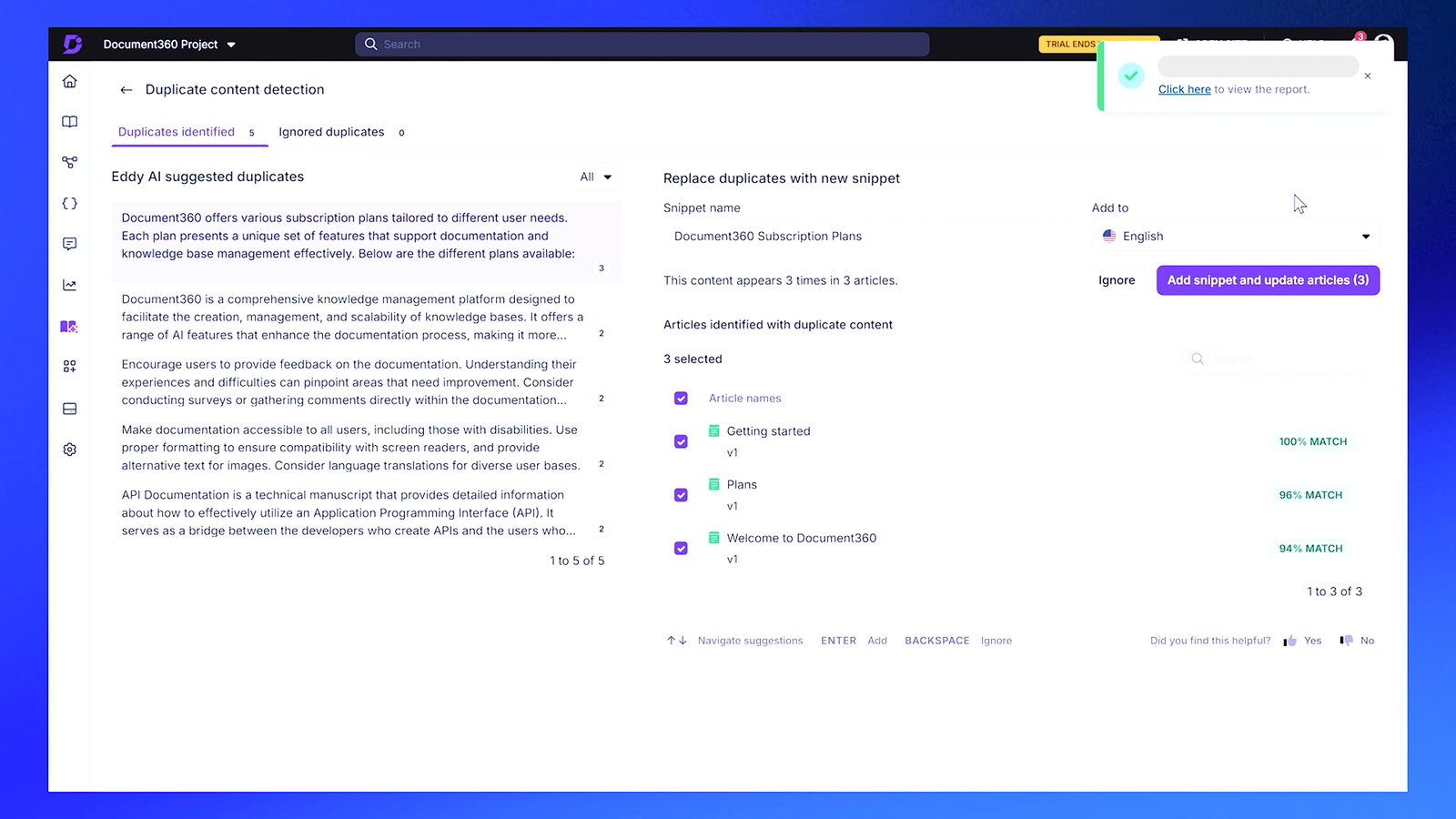
At 20 reusable blocks, the difference is minor. At 200, tracking and orphan detection separate confident editing from guesswork. That cap is also where Document360 starts charging for more. See structured authoring without XML.
Publish-time conditional content
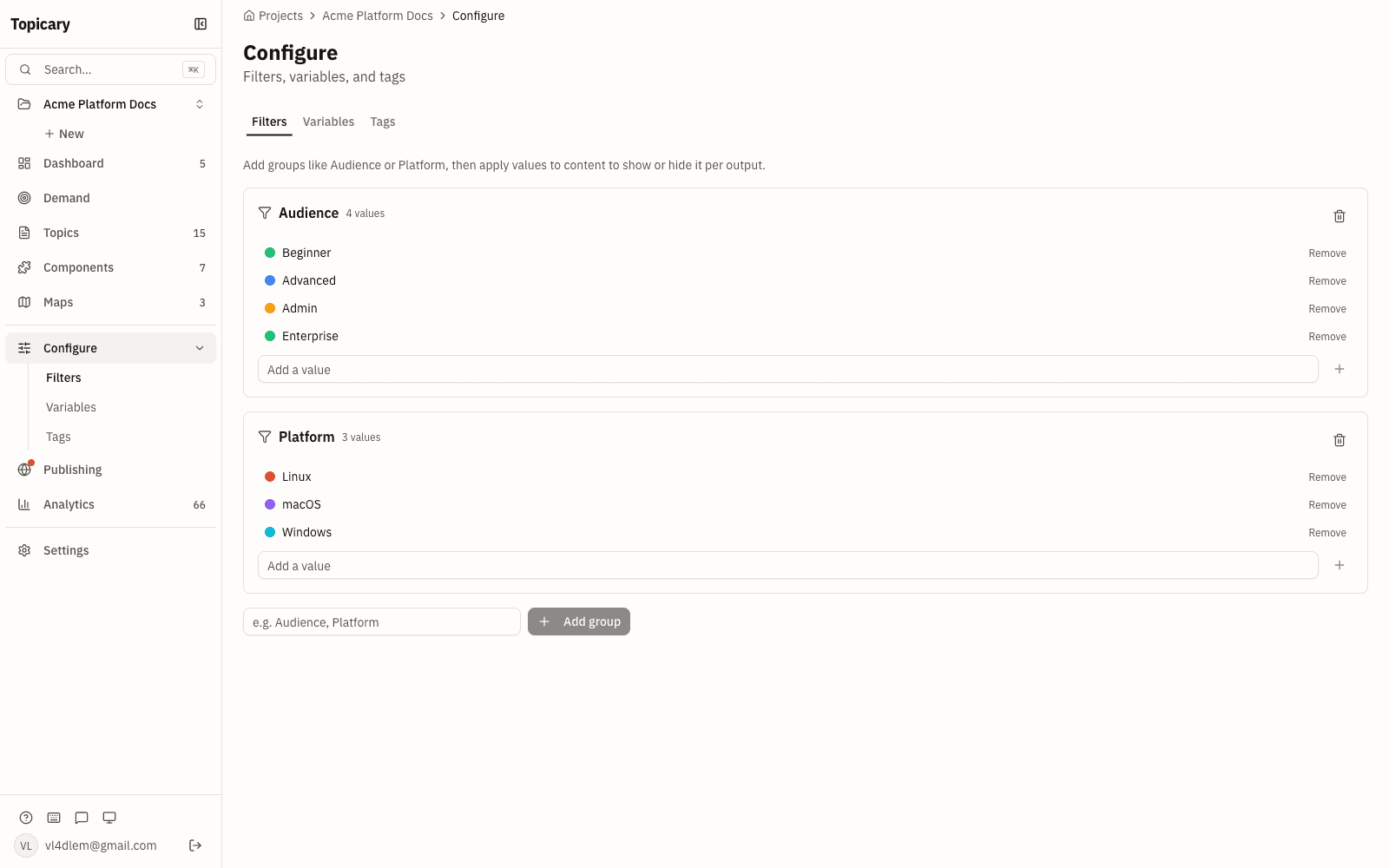
Topicary filters at publish time so unwanted content never ships and stays indexed; Document360 hides it with read-time JS that search can't index.
The architectural difference that matters most:
| Document360 | Topicary | |
|---|---|---|
| When | Read time (visitor loads page) | Publish time (before content reaches reader) |
| How | JS shows/hides based on country, device, IP, reader group | Pipeline produces separate outputs per audience |
| Full content shipped? | Yes (JS controls visibility) | No (filtered content never reaches the browser) |
| Search indexed? | Conditional content not indexed | Filtered content indexed per deliverable |
| Parameters | 7 (country, date, device, workspace, reader group, IP, custom) | Unlimited custom dimensions |
| Limit | 25 per article | No limit |
| Cross-article | Conditional IDs fail when content copied between articles | Conditions apply globally across all topics |
For a customer-facing KB with personalized content per visitor, Document360's approach works. Then come the separate deliverables: Windows guide, macOS guide, admin manual. Only publish-time filtering produces clean outputs.
Multi-output publishing
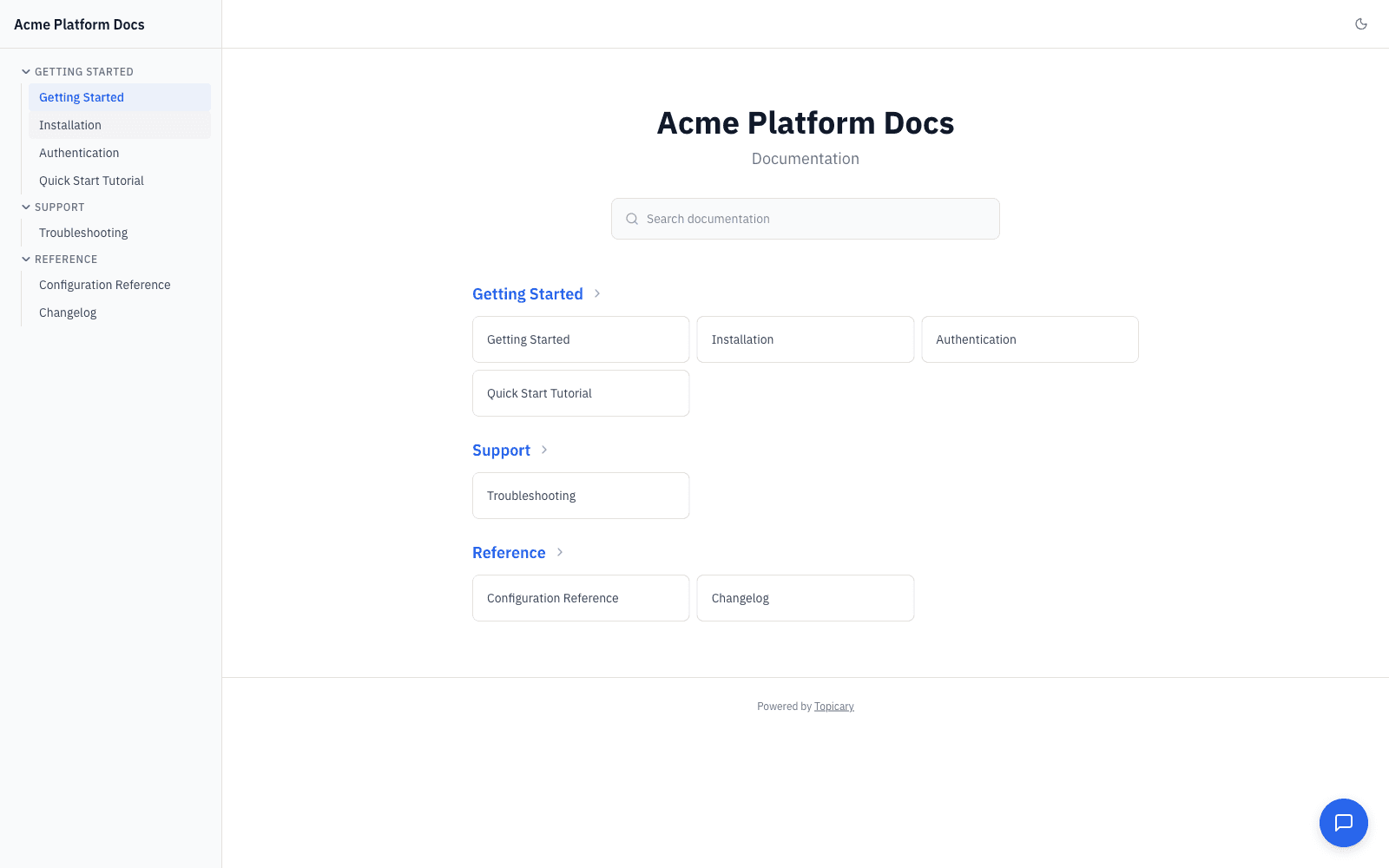
Topicary produces web, PDF, and Markdown from one source with per-target filtering; Document360 gives one KB site per project, no single-source multi-output.
- Document360: One KB site per project. Workspaces create separate hubs (separate URLs, separate content). No single-source multi-output.
- Topicary: Web, PDF, and Markdown from the same source. Conditions filter per target. Variables switch per target. One set of topics, multiple deliverables.
7-format self-service import
Topicary self-service imports 7 formats including DITA and Flare; Document360 covers PDF and Word, charging a paid add-on for the rest.
| Document360 | Topicary | |
|---|---|---|
| Self-service | PDF, Word | Markdown, HTML, DITA, Confluence, Flare, Word, OpenAPI |
| Migration service | Paid add-on (Zendesk, Freshdesk, Confluence, WordPress) | Not needed: self-service covers all formats |
| DITA / Flare | Requires external conversion | Direct import with metadata preserved |
For teams coming from MadCap Flare: one-step zip upload (Topicary) vs multi-step conversion with professional services. See the Flare comparison.
LLM-ready output on published sites
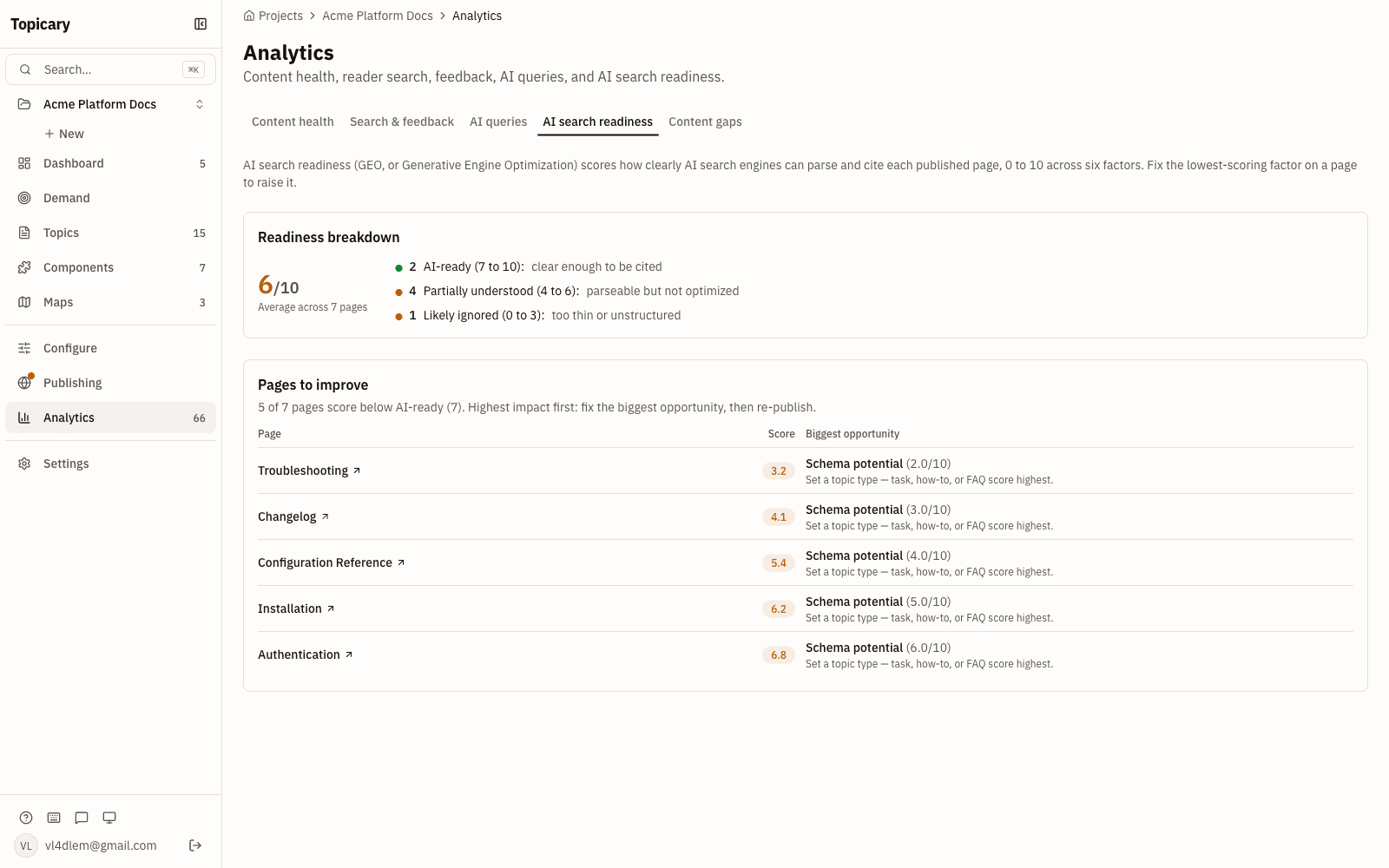
Every published site auto-generates llms.txt, .md URLs, an ?ask= endpoint, and MCP; Document360 offers MCP only, on higher tiers, and serves HTML.
| Document360 | Topicary | |
|---|---|---|
| MCP server | Business/Enterprise (requires setup) | All published sites (4 read-only tools) |
| llms.txt | Not available | Automatic |
| .md URLs | Not available | Every page |
| ?ask= endpoint | Not available | Automatic |
| Publishing pipeline | HTML only | Components resolved, conditions filtered, variables replaced before Markdown generated |
Both tools offer MCP servers. Topicary adds web-native LLM-ready output underneath it. Any AI system reads that without configuration.
Pricing
All pricing is published on the site. Document360 requires contacting sales.
Topicary:
| Team size | Plan | Monthly | Annual | Per writer/month |
|---|---|---|---|---|
| 1 writer | Free | $0 | $0 | $0 |
| 3 writers | Pro | $79 | $948 | ~$26 |
| 5 writers | Team | $149 | $1,788 | ~$30 |
| 10 writers | Team | $149 | $1,788 | ~$15 |
Team covers up to 10 authors at a flat $149/month. Currently free during beta, join here.
Document360 (not public):
Document360 removed its free plan in November 2024. All 3 tiers (Professional, Business, Enterprise) are quote-based (document360.com/pricing/, checked June 2026). Feature gating between tiers is significant:
| Feature | Professional | Business | Enterprise |
|---|---|---|---|
| AI writing suite | Yes | Yes | Yes |
| AI-powered search | No | Yes | Yes |
| MCP server | No | Yes | Yes |
| TMS integrations (Crowdin, Phrase) | No | Add-on | Add-on |
| SCIM provisioning | No | No | Yes |
| Migration support | Paid add-on | Paid add-on | Paid add-on |
G2 and Capterra reviewers note that "pricing can be high for smaller teams" (Capterra, checked May 2026).
If you are evaluating other alternatives, see Topicary vs GitBook, compare with Mintlify, the full technical writing software roundup, or why I built Topicary.
Migration from Document360 to Topicary
| Step | Action |
|---|---|
| 1. Export | Markdown editor → .md files. Advanced WYSIWYG → .html files. Multi-language → .json. Use Markdown or HTML for cleanest import. |
| 2. Import | Drag exported files onto the import dialog. Headings, paragraphs, lists, tables, code blocks, images preserved. |
| 3. Recreate metadata | Snippets → Topicary components. Variables → variable sets. Conditional blocks (reader-side) → publish-time conditions (different logic model). |
| 4. Rebuild | Workflows, analytics configs, decision trees, ticket deflector settings, custom domain: set up fresh in Topicary. |
Estimated effort: Export and import takes under an hour for 50 to 100 articles. Budget 1 to 2 days for restructuring snippets into components, setting up conditions, and defining variable sets. The structured authoring layer is new. You are building it for the first time.
Disclosure: This page is published by Topicary. I compete with Document360. I have tested Document360 directly and cite specific documentation pages, feature pages, and user reviews. Document360 pricing page checked on May 29, 2026. Review counts and ratings checked against G2 and Capterra on May 29, 2026. If you find an error, email support@topicary.com and I will correct it within 24 hours.